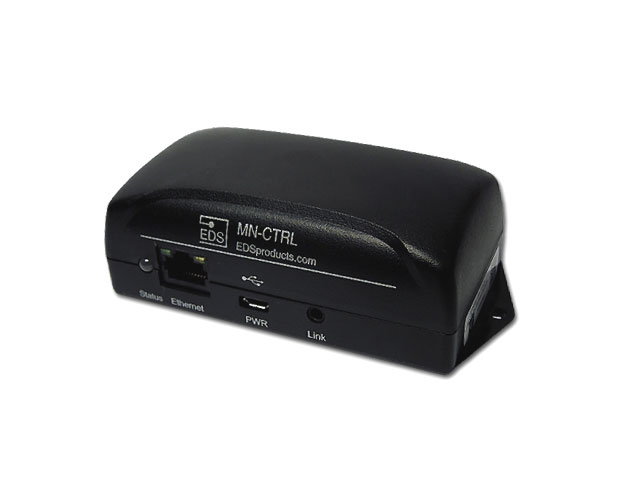
The MeshNet Controller is the gateway between the proprietary MeshNet Wireless Sensor network and the outside world. The MeshNet Controller provides the means to viewing data in real time, configuring Wireless sensors, and a variety of administrative functions. Up to 20 wireless devices can be connected to a MeshNet controller's wireless network and coexisting MeshNet Networks are supported. The MeshNet Controller also provides simple structures for integrating the MeshNet Wireless System into 3rd party monitoring and control applications using SNMP, SNMP Traps, HTTP or HTTP Post. More details for software developers are available in the data sheet.
Features
- Communication Hub MeshNet Wireless System
- Supports HTTP, HTTP Post, SNMP & SNMP Trap protocols
- Plug-N-Play installation
- Globally unique 64-Bit serial number
- User configurable parameters
- Proxy server support
- Real Time Graphing & Logging through web interface
- Robust Communication protocol
- Universally accepted 2.4Ghz radio frequency
- Frequency Hopping
- Support up to 21 nodes (Sensors/Repeaters)
- Complies with FCC, Industry Canada and CE Marking requirements
- Diagnostic Transmission Data
Web Interface
The web interface also provides a straightforward method for configuring MeshNet hardware and a graphing interface which allows for the easy monitoring of sensor data in real-time. Individual sensor pages allow for up to 3 parameters to be displayed for any one sensor. The overview pages allow all sensors reporting a selected parameter to be graphed together. Graphing data can then be easily exported for more in depth analysis with the click of the "Download" button.
Wire Free Sensor Setup
The Gen 1 MeshNet Sensors now features wireless linking, which eliminates the need for a physical connection between the MeshNet Controller and the MeshNet Sensor during the initial setup. The wireless linking process allows the sensor and controller to exchange all necessary information for joining the unique wireless network; and since each network has a unique identifier, multiple wireless networks can operate in the same vicinity. If desired, sensors can switch networks through repeating the linking process with the new wireless network’s controller. The straightforward steps to linking sensors are below:
1. Connect the MeshNet Controller to the network and power.
2. Locate the MeshNet controller on the network by either: Downloading and running
EDS Scanner, or checking the DHCP Server for the assigned IP Address.
3. From the MeshNet Controller's home page select "System Configuration>Devices". The device page will enable you to link and unlink sensors from the MeshNet Controller.
4. You will be prompted for login credentials. The defaults are User Name "admin" and Password "eds".
5. Insert batteries into the sensor. The sensor will appear in the "Unlinked Devices" section.
6. Select the sensor when it appears and then click "OK" on the pop-up prompt.
The sensor will be linked (and moved to the "Linked Devices" section) on its next transmission.
Important
The MN-CTRL-H ships WITHOUT power supply.